HandCalendar(Handwriting)1.1.42
Publisher Description
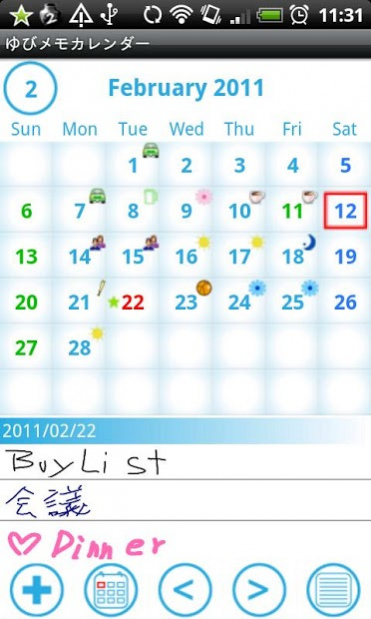
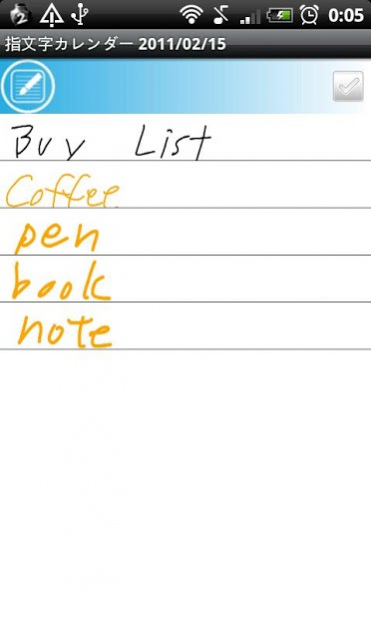
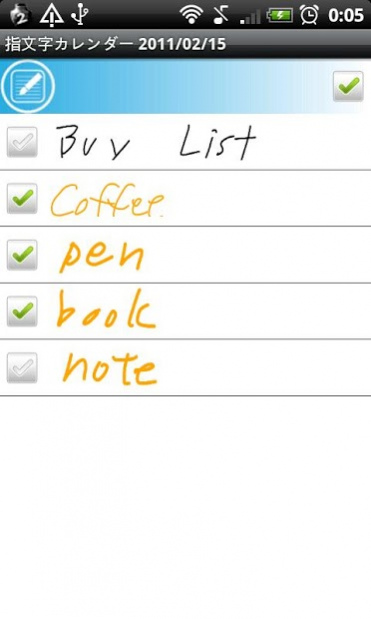
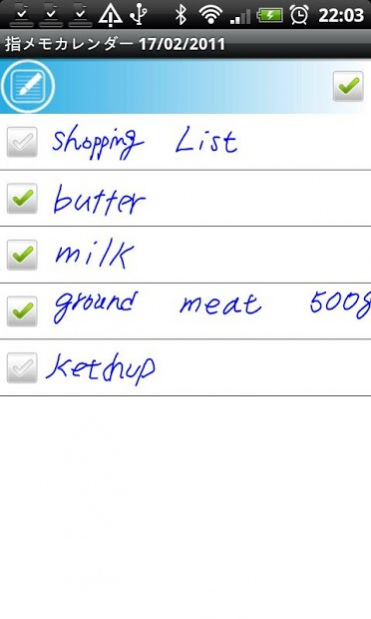
You can take a memo by hand and save it to the calendar.
Write a diary, take a memo, make a shopping and todo list by hand.
You can insert check box in your handwritten memo.
The screen of handwritten memo is divided in three lines and those three make one row of a memo.
You can add memo by hand without limit.
Your handwritten memo will be displayed in the list of the calendar when you register.
When there is the handwritten memo on a date, you can see an icon on the calendar.
Select one memo from the list and your handwritten memo will be displayed to another
screen. Then press "Menu" button, select "Mail" to send your handwritten memo by email.
There are 10 colors to choose from, so let's enjoy making your colorful memo by hand!
There are 3 types of pen to choose for making memo by hand.
*Use the white color as eraser.
*Undo up to 3 times.
Menu
・Add a memo by hand.
・Move to today's date.
・Go to previous day of the calendar.
・Go to next day of the calendar.
・The list of saved handwritten memo.
You can add and save tag name for your handwritten memo, for example, "Shopping List",
"Todo" or "Meeting", and search it later by the tag name.
You can select the beginning of the week from "Setting".
About HandCalendar(Handwriting)
The company that develops HandCalendar(Handwriting) is GalleryApp. The latest version released by its developer is 1.1.42. This app was rated by 1 users of our site and has an average rating of 4.0.
To install HandCalendar(Handwriting) on your Android device, just click the green Continue To App button above to start the installation process. The app is listed on our website since 2019-12-27 and was downloaded 13 times. We have already checked if the download link is safe, however for your own protection we recommend that you scan the downloaded app with your antivirus. Your antivirus may detect the HandCalendar(Handwriting) as malware as malware if the download link to info.androidx.handcalen is broken.
How to install HandCalendar(Handwriting) on your Android device:
- Click on the Continue To App button on our website. This will redirect you to Google Play.
- Once the HandCalendar(Handwriting) is shown in the Google Play listing of your Android device, you can start its download and installation. Tap on the Install button located below the search bar and to the right of the app icon.
- A pop-up window with the permissions required by HandCalendar(Handwriting) will be shown. Click on Accept to continue the process.
- HandCalendar(Handwriting) will be downloaded onto your device, displaying a progress. Once the download completes, the installation will start and you'll get a notification after the installation is finished.
Program Details
System requirements
Download information
Pricing
Version History
version 1.1.42
posted on 2019-12-27
Support Android10
version 1.1.33
posted on 2017-02-19
1.1.23
Can be backed up to Dropbox and Google drive.
version 1.1.25
posted on 2013-01-25
Several fixes and updates
